> For the complete documentation index, see [llms.txt](https://docs.walnutai.ai/llms.txt). Markdown versions of documentation pages are available by appending `.md` to page URLs; this page is available as [Markdown](https://docs.walnutai.ai/overview-and-tracking/action-item/creating-action-items.md).
# Creating Action Items
The Action Items hub allows you to define the hierarchy of your project. Whether you are setting a high-level Epic or a specific technical Task, the process is streamlined to ensure all mandatory data is captured.
**Creating Different Item Types**
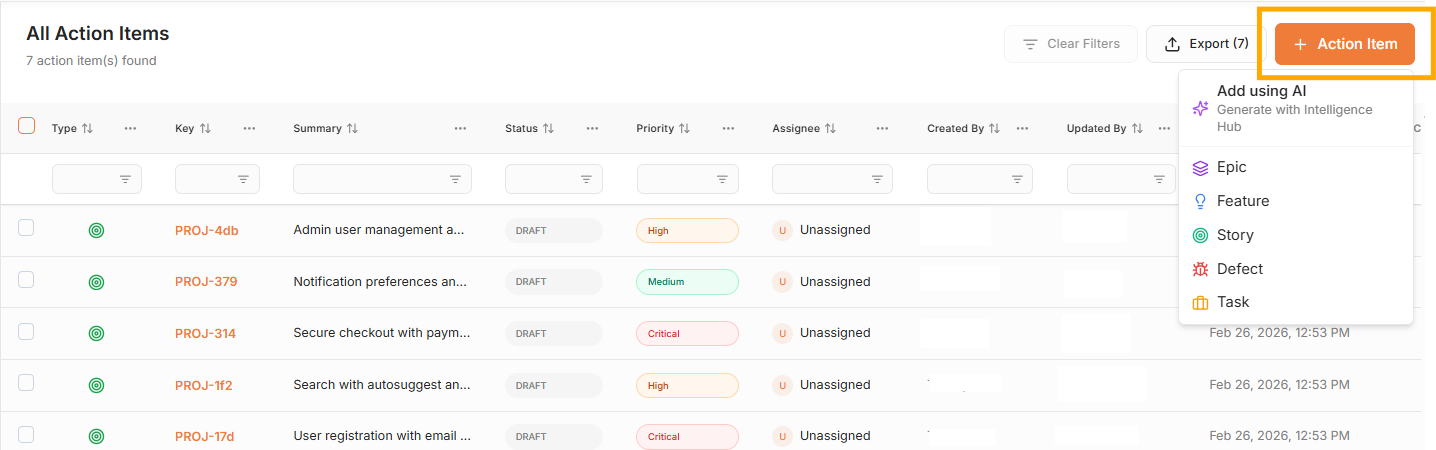
* Click **'Add Item'** and select the specific item type from the dropdown menu (Epic, Feature, User Story, Defect, or Task).
{% hint style="info" %}
You can also import or create Epics, Features, or User Stories directly from the [Intelligence Hub.](/core-features/intelligence-hub/generate-user-stories.md)
{% endhint %}
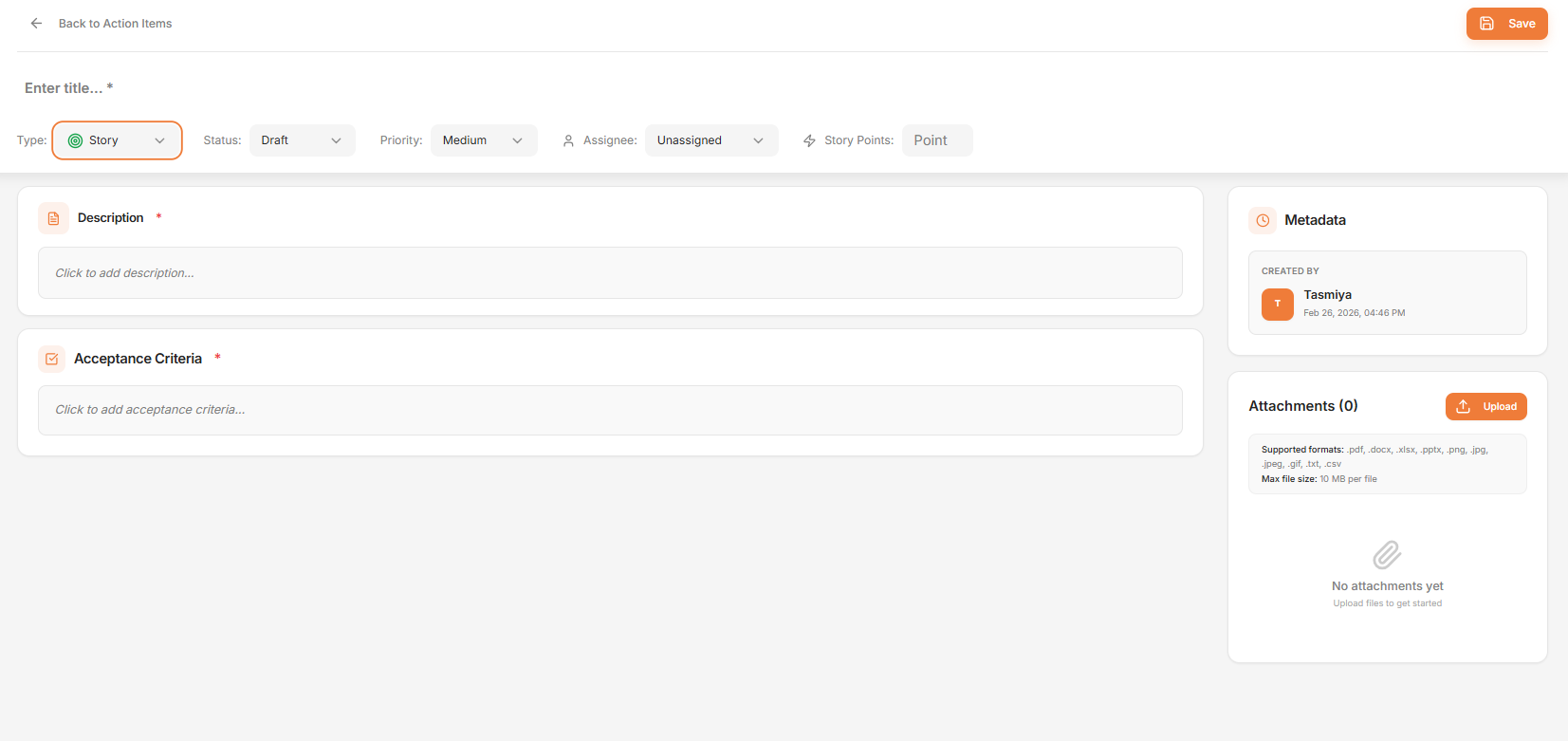
* Fill in all required fields in the pop-up form:
* **Title & Type:** Enter a clear, descriptive name and confirm the correct classification to ensure proper organization within the project hierarchy.
* **Status & Priority:** Select the current progress stage (To Do, In Progress, Done) and define the urgency level (High, Medium, Low) to support workflow tracking and sprint prioritization.
* **Assignee:** Choose the specific team member responsible for completing the item, ensuring clear ownership and accountability.
* **Story Points:** Provide the effort estimation to support sprint planning and capacity management.
* **Description:** Add detailed information explaining the objective, scope, or issue for complete clarity.
* **Acceptance Criteria:** For User Stories define the specific conditions that must be met for the story to be considered complete.
* **Test Case:** For defects link the associated test case from which the defect was identified to maintain validation traceability.
* **Attachments:** Upload supporting documents, screenshots, or design files for full context.
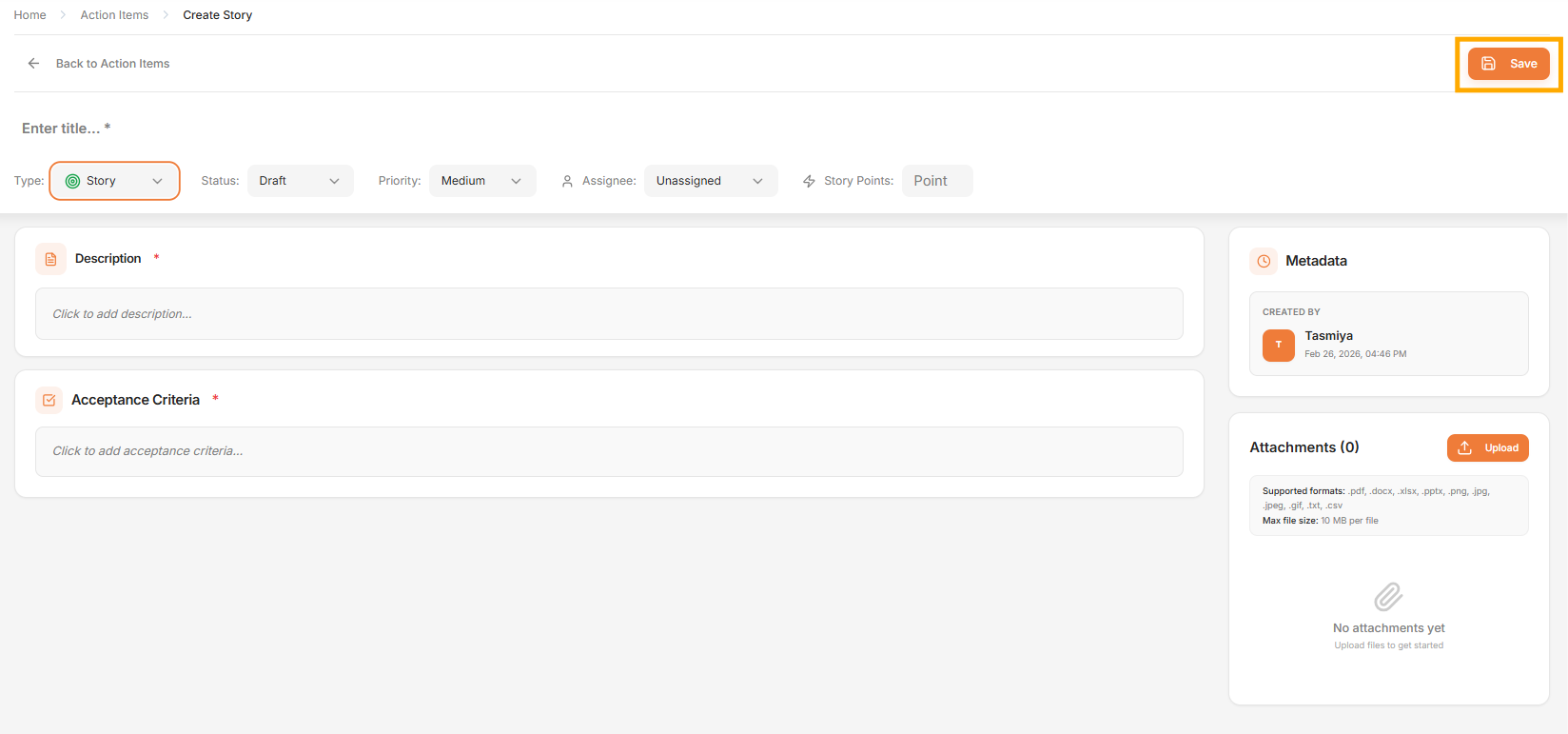
* Click **'Save'** to create the action item.
Once saved, the Action Item will appear in the directory. If a **Task or Defect** is assigned to a team member, it will automatically reflect on their [Workboard](/overview-and-tracking/workboard.md), providing real-time visibility into workload and progress tracking.