> For the complete documentation index, see [llms.txt](https://docs.walnutai.ai/llms.txt). Markdown versions of documentation pages are available by appending `.md` to page URLs; this page is available as [Markdown](https://docs.walnutai.ai/getting-started/projects/create-a-new-project/external-data-and-connections.md).
# External Data and Connections
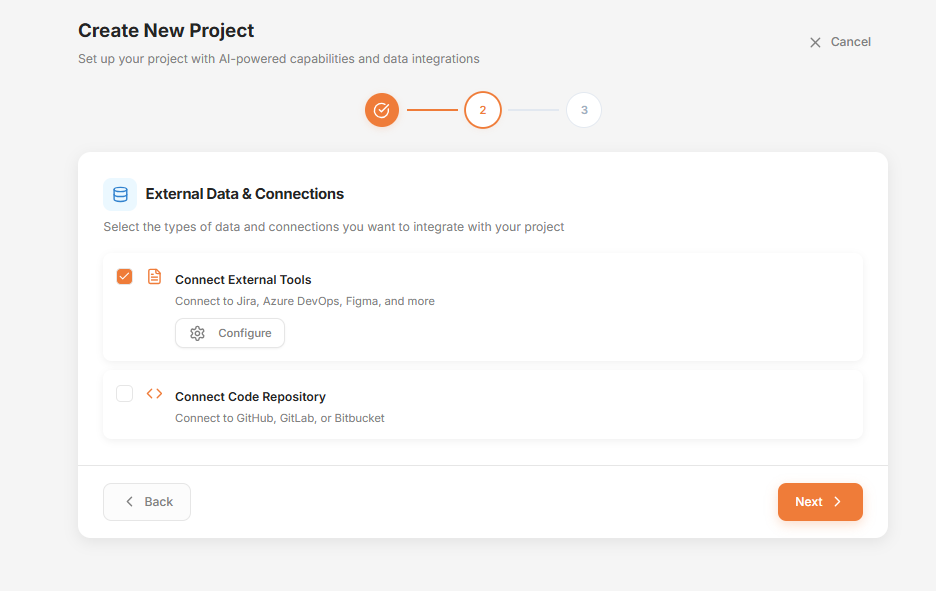
**When to Use External Data & Connections:**
* Connect external tools after configuring your AI model if you want to import existing data into your project.
* If you are starting from scratch, you can skip this step and proceed with the setup.
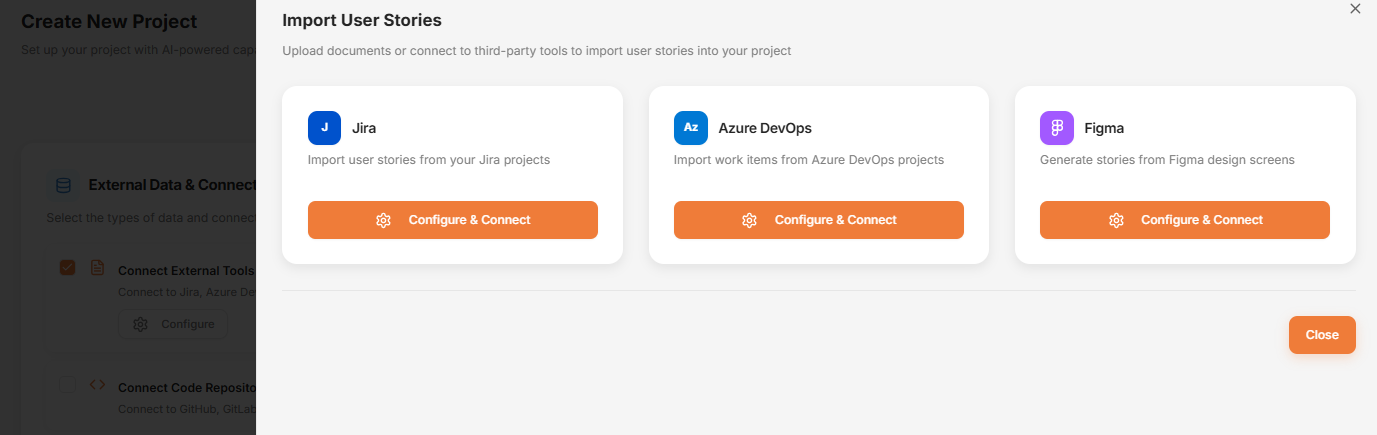
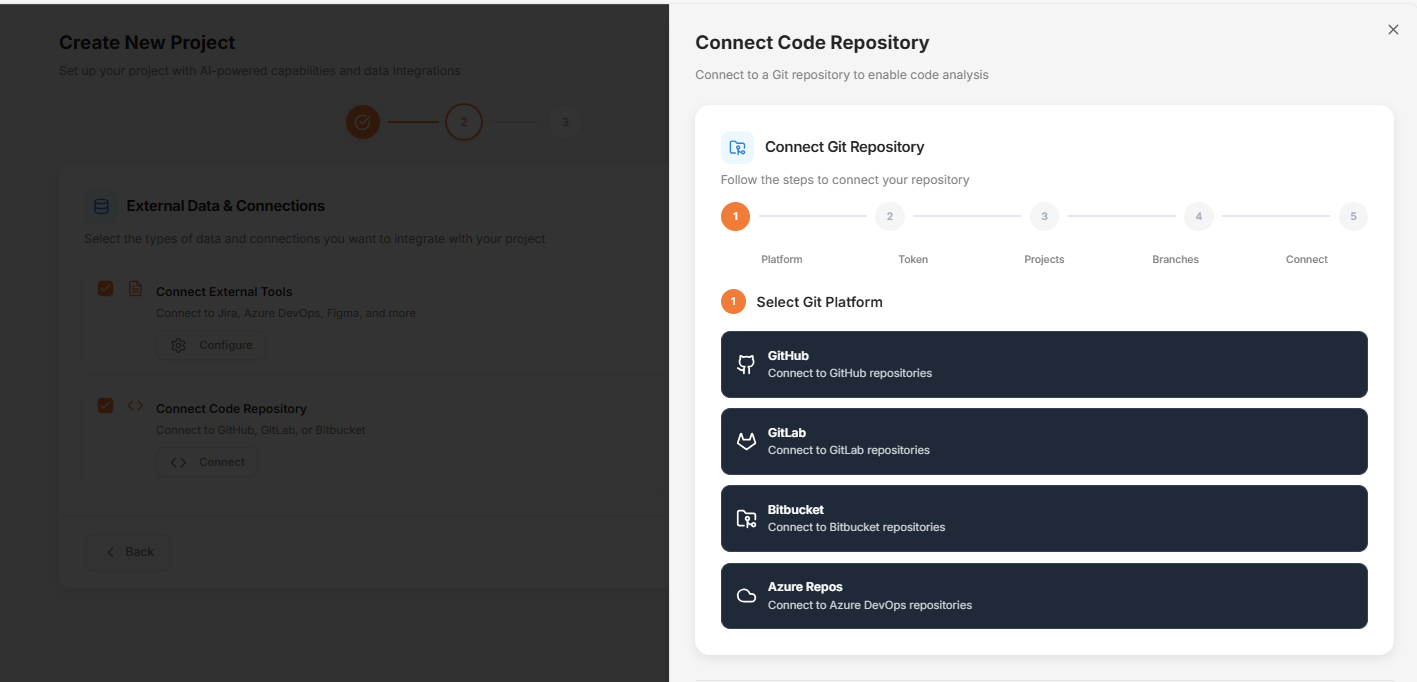
**Connect External Tools**
* **Project Management:** Connect to [Jira](/getting-started/projects/create-a-new-project/external-data-and-connections/how-to-integrate-jira-with-walnutai.md) or [Azure DevOps](/getting-started/projects/create-a-new-project/external-data-and-connections/how-to-integrate-azure-devops-with-walnutai.md) to synchronize epics, user stories, tasks, defects and any other custom issue types automatically.
* **Design Integration:** Connect to Figma to generate user stories and test cases directly from design prototypes.
* **Code Repositories:** Connect to [GitHub](/getting-started/projects/create-a-new-project/external-data-and-connections/how-to-integrate-github-with-walnutai.md), [GitLab](/getting-started/projects/create-a-new-project/external-data-and-connections/how-to-integrate-gitlab-with-walnutai.md), [Bitbucket](/getting-started/projects/create-a-new-project/external-data-and-connections/how-to-integrate-bitbucket-with-walnutai.md), [Azure Repos ](/getting-started/projects/create-a-new-project/external-data-and-connections/how-to-integrate-azure-repos-with-walnutai.md)or [AWS CodeCommit](/getting-started/projects/create-a-new-project/external-data-and-connections/how-to-integrate-aws-codecommit-with-walnutai.md) to integrate your codebase.